Policy, craft, strategy
Guides for faceless creators
Deep dives for faceless creators who want videos that look and sound like real productions, not templates.
Each guide answers one question in depth: how a policy works, how to make a synthetic voice sound directed, how long a Short should be. They are written for creators who want the high-effort version, so every guide sets a quality bar, names the slop tells that give filler away, and ends with what to do next.
Every factual and policy claim links to its source. Guides are grouped by pillar, and the craft guides map to the criteria in the Standard.
Policy
What each platform allows, what it requires you to disclose, and how enforcement works.
AI disclosure rules for faceless creators on YouTube, TikTok, and Meta
Label realistic synthetic content wherever a platform requires it. YouTube says a label alone does not limit reach or earnings; monetization risk comes from templated work, which no label fixes.
10 min read
YouTube's inauthentic content policy, explained for faceless channels
The rule targets templates and repetition, not faces or AI tools. Here is what it says, how YouTube reviews a channel, which faceless formats are exposed, and what to do if monetization is suspended.
10 min read
Craft
Script, voice, visuals, sound, and edit: the work that separates a production from filler.
AI voiceover that doesn't sound like filler
A produced voiceover differs from filler in casting, direction, pronunciation, editing, and the mix. Each of those is human work.
11 min read
Faceless video styles that hold up, and what quality looks like in each
No format is high quality by default. Every faceless style has a version that reads as a real production and a version that reads as filler, and the difference is direction, not tools.
12 min read
How long should a YouTube Short, TikTok, or Reel be?
Platform limits are ceilings, not targets. The right length is the shortest one that lets the story land, checked against the few thresholds that change what a platform does with your video.
9 min read
Strategy
Formats, niches, and positioning for faceless channels built to last.
Clean Take · Voiceover checker for Windows
Catch every flubbed line before you publish.
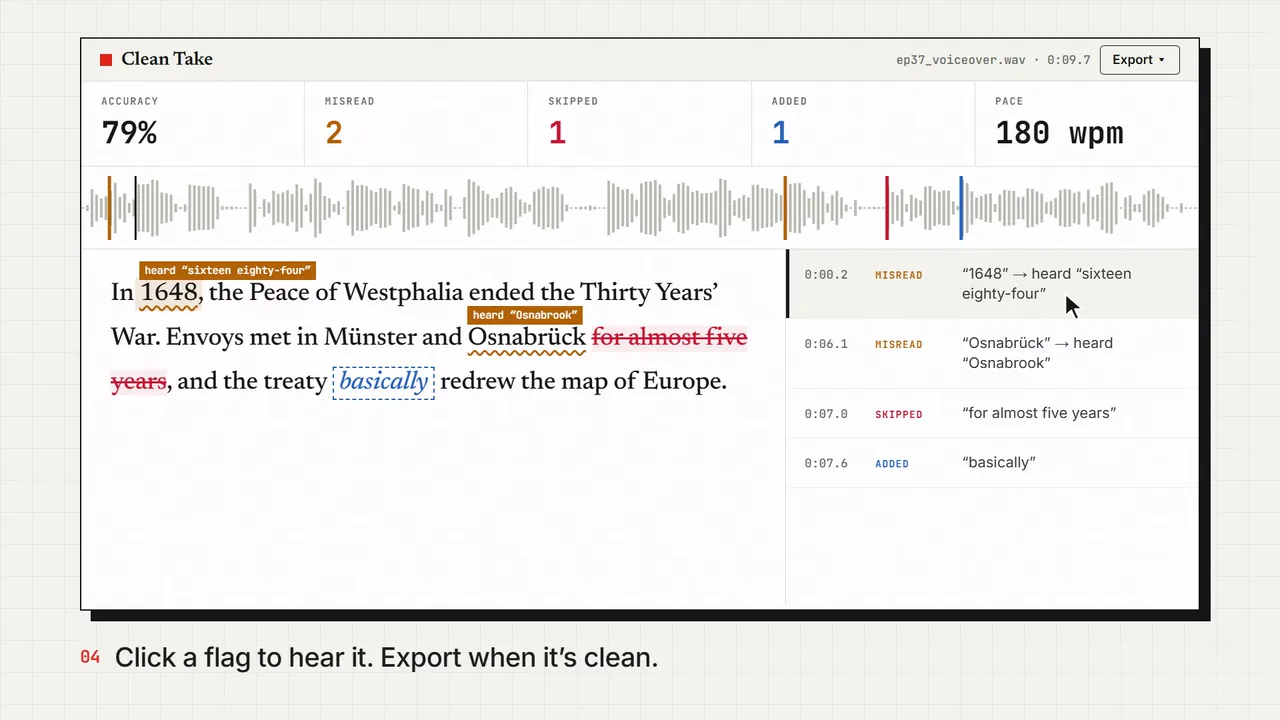
Drop in your voiceover, yours or an AI voice, plus the script. Clean Take listens and marks every word that was skipped, added, or misread. Click one to hear the spot.
- Knows “1500” and “fifteen hundred” are the same thing
- Cuts your flubbed retakes and dead air, and keeps the last clean read
- Exports captions in your script’s spelling, timed to the take
- Runs on your PC. The audio never gets uploaded.
Windows 10 and 11 · Works offline · No subscription