
Booth · Free voice studio · Windows, Mac, Linux, Android
Voiceover without recording a word.
Booth is a free, open-source voice studio. Type a line, choose a voice and a mood, and pick the best of several takes. It runs on your own computer or phone, so nothing you write leaves it, and Claude can use it too.
Also for Mac (Apple Silicon) · Linux AppImage · Android APK · Apache-2.0
There is no iPhone version. Open this page on your Windows PC or Mac to download Booth.

- Open source, Apache-2.0
- Free
- Your scripts and voices stay on your computer
- Offline
- One-time voice model download
- 1.2 GB
- Tools Claude can use
- 8
The app
Screens from the current build-
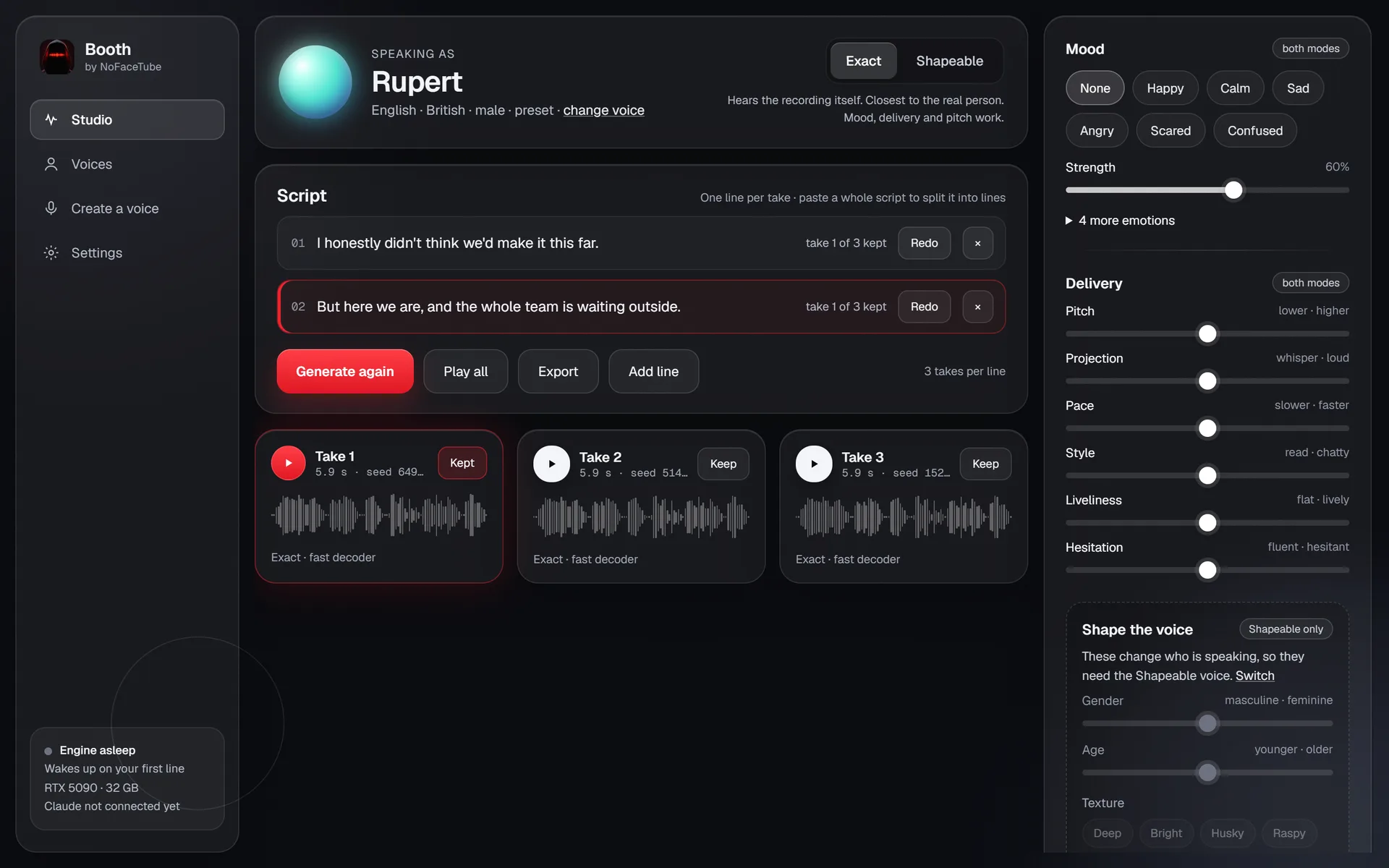
Studio
-
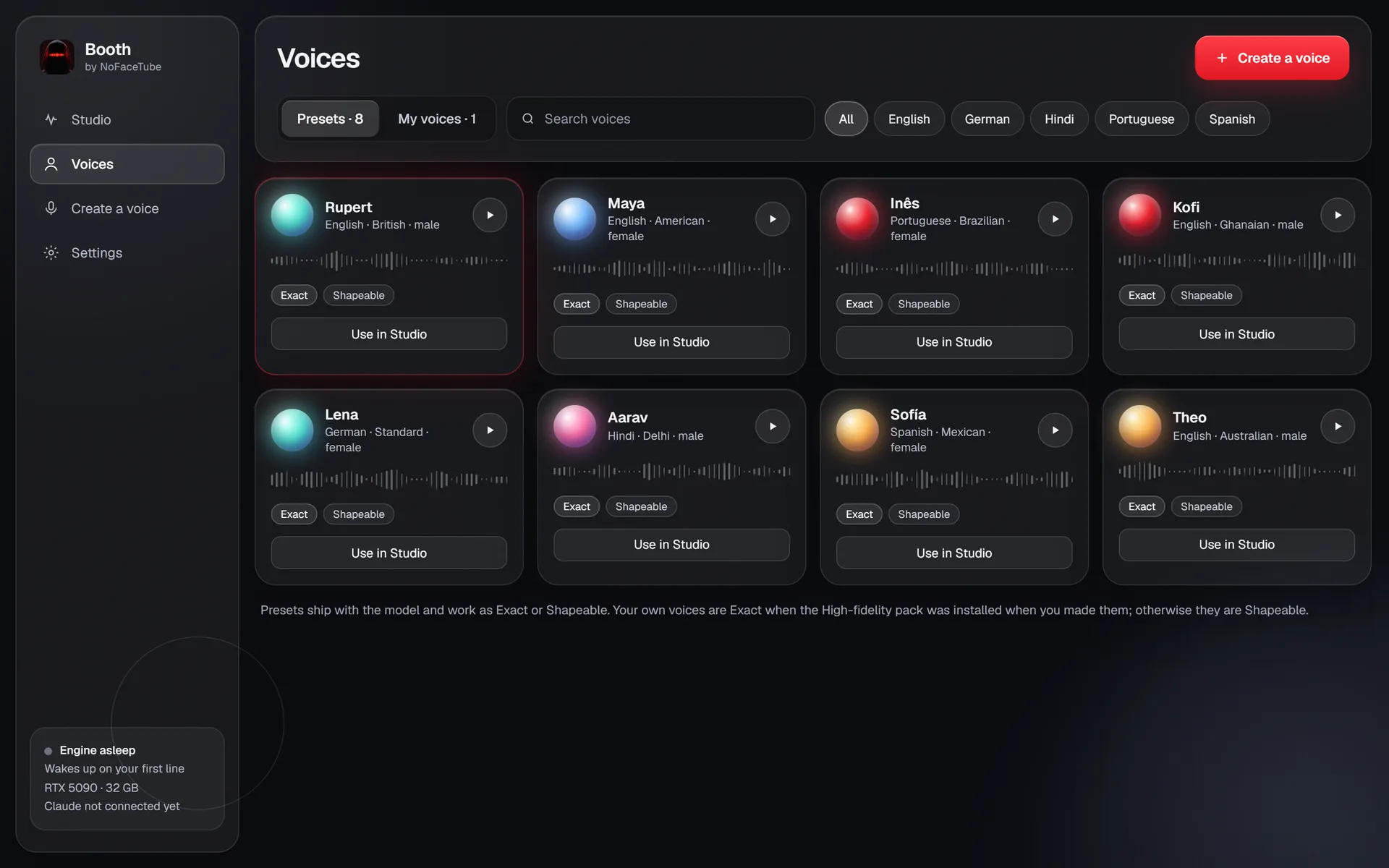
Voices
-
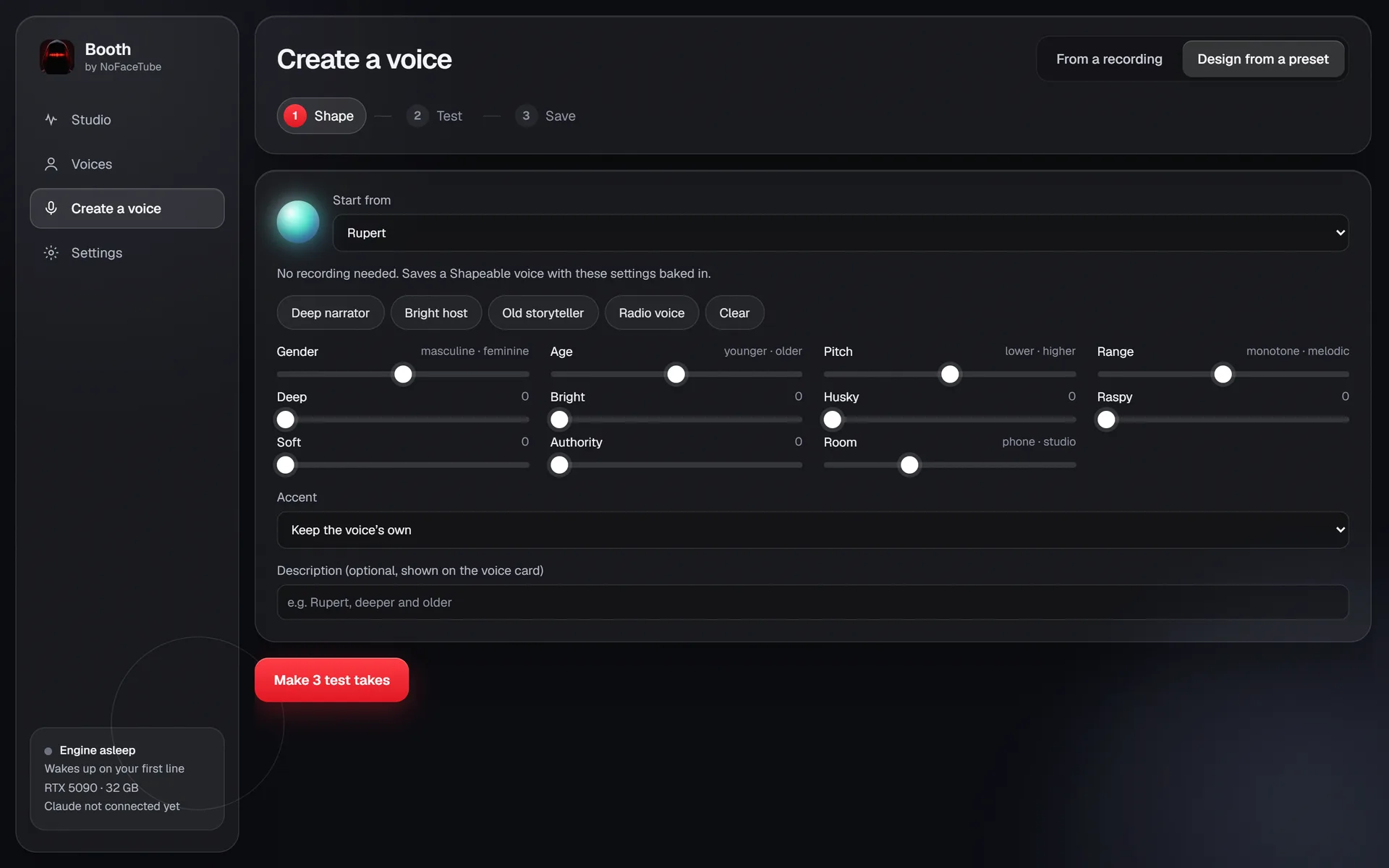
Design a voice
-
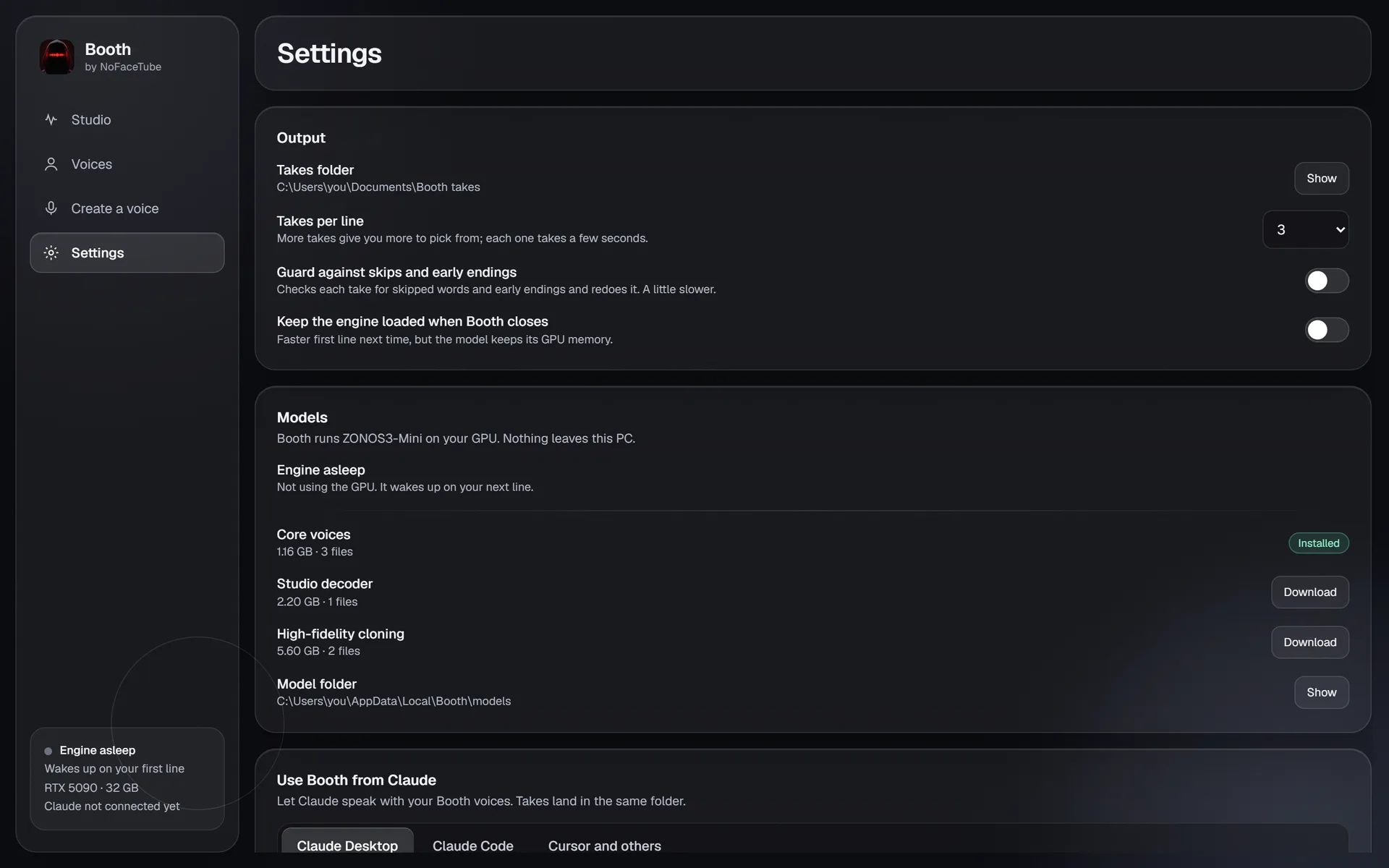
Settings and Claude
Hear it
A voice you can direct, not just play.
Paid voice sites charge per character and keep your scripts on their servers. Free ones sound like a GPS. Booth runs ZONOS3-Mini, an open model from Zyphra, on your own computer: no meter, no upload, and a delivery you can actually direct.
This is Rupert, one of the built-in voices, straight out of the model:
How it works
Three steps, all on your computer- 01
Write the lines
One line per take, or paste a whole script and Booth splits it. Each line keeps its own takes.
- 02
Pick a voice and a mood
Start from a preset or your own voice. Add a mood, then set pace, projection, and liveliness with sliders.
- 03
Keep the best take
Booth makes a few takes of every line. Play them, keep one, redo the rest, and export the whole script as one file.
What it does
Every feature, free-
Moods and delivery
Happy, calm, sad, angry, scared, or confused, at the strength you choose. Pace, pitch, projection, liveliness, and hesitation each have their own slider.
-
Clone a voice from a clip
Record or drop in 10 to 60 seconds of one person talking, trim it, and test the clone before you save it. Only your own voice, or the voice of someone who agreed.
-
Design a voice without a recording
Start from a preset and move gender, age, pitch, texture, room, and accent until it sounds right. Booth saves it as a new voice.
-
Several takes per line
Every line comes back as a few takes with their seeds, so you can pick the read you like and get it again.
-
Guard against skipped words
An optional check listens to each take for skipped words and early endings, and redoes the take when it finds one.
-
Use it from Claude
Booth ships an MCP server and a one-click Claude Desktop extension. Ask Claude to voice a script and the takes land in your Booth folder. It works with Claude Code and Cursor too.
-
Runs on your computer, or your phone
No graphics card needed: Booth runs on the processor of any modern PC, Mac, or Linux machine, and on an Android phone. An NVIDIA card or Apple Silicon makes takes faster, and the engine stops when you close Booth.
-
Private
After the one-time model download, Booth works offline. Your scripts, clips, and voices never leave your computer, and there is no account. Booth updates itself.
-
Open source
The app and the voice model are both Apache-2.0. Read the code, build it yourself, or change it.
Straight answers
What it does not do
- It does not run on Intel Macs, and on Linux it uses the processor only.
- It does not check your take against the script word by word. For that, see Clean Take.
- It does not label AI voices for you. What YouTube, TikTok, and Meta require is in the AI disclosure rules guide.
- It does not make a flat script interesting. For direction, see the guide on making an AI voiceover sound natural.
Before you install
Questions
- 01
Is Booth really free?
Yes. Booth is open source under Apache-2.0, and so is ZONOS3-Mini, the voice model it runs. There is no account, no subscription, and no limit on how much you generate.
- 02
What do I need to run it?
Windows 10 or 11, a Mac with Apple Silicon (macOS 13.3 or later), 64-bit Linux, or Android 7 or later on an arm64 phone. Any modern processor works, and an NVIDIA card (GTX 16 or RTX 20 series and newer) makes takes several times faster. 1.2 GB of disk for the voice model, up to 9 GB with every add-on. On the processor alone a line takes a few seconds; a graphics card makes it near instant.
- 03
Does it work offline?
Yes, after the first run. Booth downloads the voice model once, then everything runs on your computer. Extra packs, such as high-fidelity cloning, download only when you turn them on.
- 04
Can I clone anyone’s voice?
No. Clone your own voice, or the voice of someone who has agreed to it. Booth asks you to confirm that before it saves a clone, and Claude can only clone voices if you turn that on in Settings.
- 05
Can I use the voiceovers in monetized videos?
Booth puts no limits on what you make with it. The platform rules still apply: YouTube, TikTok, and Meta each have rules for synthetic voices and for disclosing them.
- 06
Is there a Mac or Linux version?
Yes, since version 0.2. The Mac version needs Apple Silicon (M1 or newer) and uses the Mac’s graphics. The Linux version (AppImage or .deb) runs on the processor. Both are new, so tell us if something breaks. On a Mac, the first launch takes one extra click: System Settings, Privacy & Security, Open Anyway.
- 07
Does Booth run on a phone?
Yes, since version 0.3. The APK on this page runs on Android 7 and later, on arm64 phones and tablets. Booth downloads the same 1.2 GB of voice models and renders on the phone’s processor, and it keeps going while you are in another app. The APK does not come from the Play Store, so Android asks you to allow the install: open it from your Downloads and tap allow. It is signed with Booth’s own key, so later versions install over it and keep your takes. There is no iPhone version.
- 08
Where does the download come from?
Straight from the Booth repository on GitHub. Each release there is built from the public source, and you can check the code before you install it.
Booth
Give your channel a voice.
There is no iPhone version. Open this page on your Windows PC or Mac to download Booth.